
20/10/2026 09:02
Scratch or Reflection? Telegram HD Photos for Cambodian Secondhand Furniture Shops

A polished desk can look flawless in a small Telegram preview while a scratch becomes obvious when someone arrives at the shop. The reverse also happens: reflected light looks like damage and sends a buyer away unnecessarily. For Cambodian secondhand furniture businesses, useful promotion starts with making those differences understandable. This workflow combines deliberate photography, Telegram’s HD photo option and a clear enquiry process. It also explains where an SMM panel service fits into the record without treating purchased views as evidence of condition, customer confidence or demand. The practical goal is a listing that helps someone decide what to ask and whether to arrange an inspection.
1. Give each listing one condition question to answer
Start with the uncertainty most likely to interrupt a viewing. For a desk, that might be whether a pale line is a surface scratch. For a cupboard, it might be whether the lower edge is chipped. Pick a question about the actual item, then photograph enough context to answer it. A beautiful room scene can introduce the furniture, but it rarely explains wear.
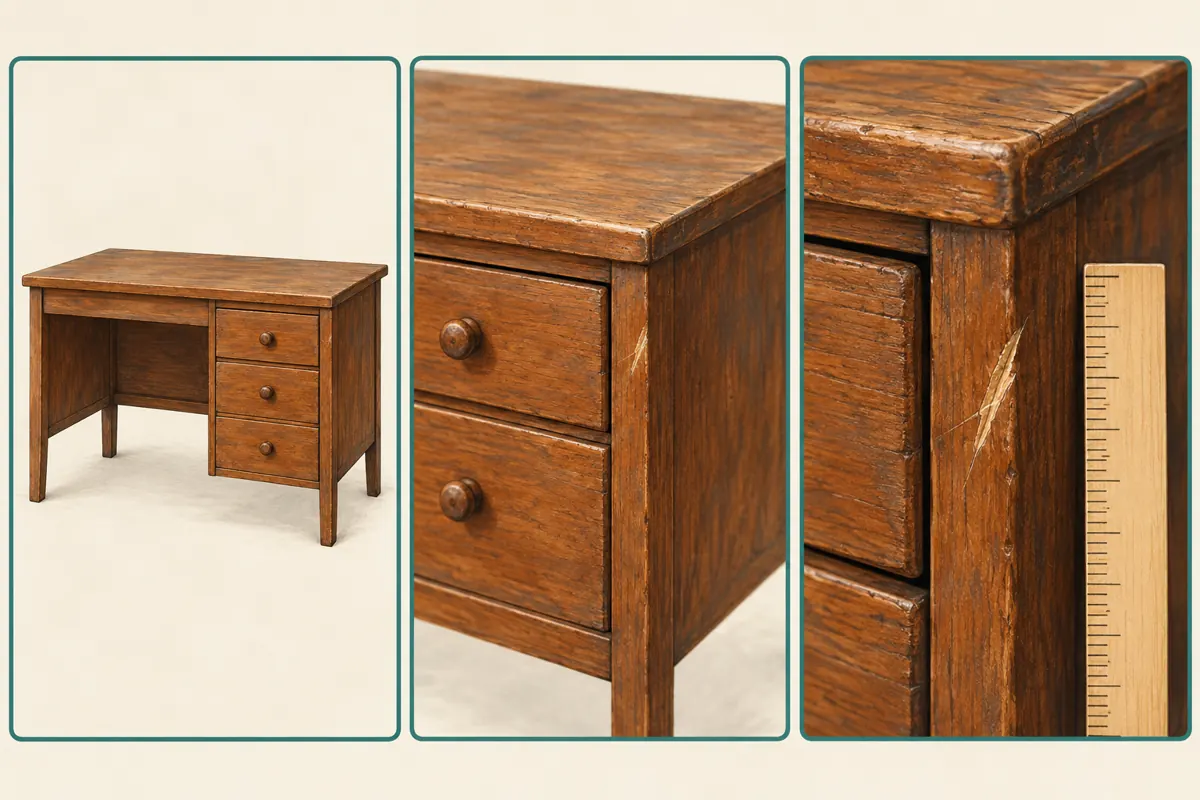
In a hypothetical Phnom Penh shop, staff are preparing a used desk identified as D17. Its top has a visible scratch near the drawer side. The listing should help a viewer locate that scratch and understand what the shop has checked. It should not imply that a close-up establishes the condition of every joint, drawer or hidden surface.
2. Inspect the furniture before choosing the camera angle
Look over the actual item before photographing it. Note visible wear, missing fittings, repairs the shop knows about and parts that have not been checked. Separate observations from assumptions. “The drawer opens during our inspection” is a narrower statement than “everything works perfectly.” If staff disagree about what a mark represents, investigate or describe the uncertainty instead of selecting the most reassuring label.
Make a short internal condition note linked to the item code and inspection date. Keep customer names, delivery addresses and acquisition paperwork outside the public frame. Clean ordinary dust so the surface can be seen, but photograph the condition being offered. If the desk will be repaired before sale, explain that plan and take fresh pictures after the work.
3. Build a whole-item, location and detail sequence
Capture an overall view showing the complete item, a middle-distance view locating the wear, and a close-up showing its appearance. Keep the same orientation where possible. A buyer should be able to move mentally from the desk to the drawer side to the scratch without guessing which corner is pictured. Include another angle when a reflection changes what the mark looks like.
Use soft daylight and steady hands. Move the camera or furniture slightly if glare hides the surface. Place a ruler beside the mark when size matters, keeping it in the same plane; state the measured length in the caption rather than expecting everyone to read tiny markings. Avoid smoothing filters, artificial sharpening and generative repairs. They can alter the very detail the customer needs to assess.
4. Choose photo quality around the unanswered question
Telegram’s official HD photo announcement describes an option between ordinary photo sharing and sending an original full-resolution file. Its documented controls are the SD button in the photo editor or “Send In High Quality” in the attachment menu. Check the options displayed in your current app before preparing the public post.
Use an ordinary photo when the overall shape is already clear. Consider HD for a condition detail that becomes difficult to distinguish in the received image. If the viewer needs closer examination, offer the original file or another photograph. Better transmission cannot recover detail that the camera never captured. A blurred close-up needs to be photographed again, regardless of which sending option is selected.
Keep the selection purposeful. Sending every warehouse picture at higher quality adds work without necessarily answering more questions. Choose the smallest useful set that shows the item, locates the issue and explains the uncertainty.
5. Check the received photo, not only the camera original
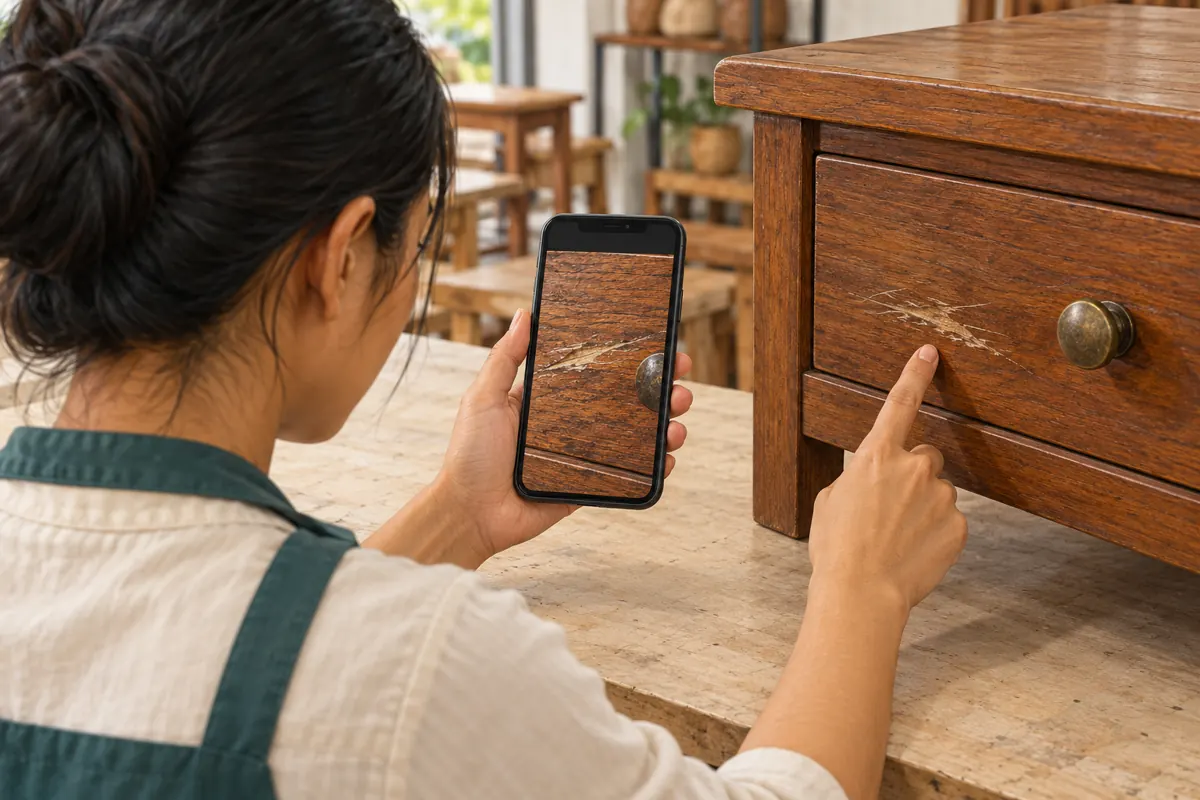
Send a draft to a colleague before publishing. Ask them to open the received image on their phone and identify the relevant mark without coaching. Can they tell which side of the desk it is on? Can they distinguish the scratch from the reflection? Does the close-up still resemble the physical item? This is an editorial check, not a technical image-quality benchmark.
If the answer is unclear, change one thing at a time: the lighting, the angle, the distance or the sending quality. Recheck the result after that change. Do not assume that a sharper-looking preview means the condition is understandable. A detailed image of an unidentified corner remains confusing, and a clear photograph cannot establish how firmly a joint holds.
6. Write a caption that connects the pictures
Lead with the item code and a plain description. Then identify the wear by location, say what the photographs show and state any important limits. Add confirmed dimensions, availability information and the next step for an enquiry. For a Cambodian audience, prepare the customer-facing wording in the language your customers understand, with measurements and item codes kept consistent across any translations.
For the hypothetical desk, a draft might read: “D17, used wooden desk. The close-up shows a scratch beside the drawer side of the top. See the full view for its location. Please ask for current availability and an inspection time, quoting D17.” Add measurements only after taking them. Avoid “minor cosmetic damage” unless staff have enough information to justify both parts of that description.
State delivery terms separately from condition. A customer deciding whether a scratch is acceptable still needs to know whether transport is available and what information is required for a delivery quote.
7. Promote the condition explanation alongside the attractive view
When sharing the listing through your shop’s existing social channels, retain the condition explanation instead of circulating only the most flattering photograph. Introduce it with a useful reason to open the post: an available desk with a clearly documented surface mark, for example. Do not present illustrations, repaired sample furniture or another unit as photographs of the exact item being offered.
Agree on the enquiry route before sharing. The person answering should have the item code, current photos and inspection note available. For a hypothetical Siem Reap buyer asking about transport from Phnom Penh, first establish the item and unresolved condition questions, then discuss the destination and delivery arrangements privately. An enquiry about transport is not acceptance of the furniture’s condition or confirmation of a sale.
8. Keep SMM panel delivery separate from the listing’s usefulness
One relevant public catalogue title in the supplied brief is “Telegram - Post Views - [ LAST 5 POST ]”. Its description is empty, so the title alone does not establish exactly how eligible posts are selected or counted. Before considering it, obtain a clear explanation of targeting and required inputs. Do not assume a particular condition photo, album or newly added message will be included.
The listing provides no supporting description for audience location, genuine interest or enquiries. Purchased engagement is not evidence of Cambodian users, sales or official advertising delivery. An SMM panel view service also cannot confirm that anyone opened the detail photo, understood the scratch or accepted the condition. Leave the service unused when its documented purpose does not match your business need.
If a service is used, record its exact title, target and timing separately from customer conversations. Finish the condition review first. More visible activity cannot resolve a misleading photograph, and presenting purchased views as proof that customers trust the item would misrepresent what the record actually shows.
9. Answer the missing question before sending more pictures
When someone asks, “Is that a crack?”, identify the exact item and area they mean. Ask them to reference the picture or describe the location. Check the furniture directly before answering. If the current photos cannot resolve the question, take a fresh angle and explain what staff observed. Do not make a structural assurance from appearance alone.
Keep a small enquiry log organised by item code: question, answer provided, further inspection needed and agreed next action. Record a viewing only when a time has actually been agreed. Record a reservation only under the shop’s stated reservation process. A reaction, message read receipt or request for an additional photograph belongs to neither category automatically.
10. Review clarity without inventing a sales result
Telegram’s Channels FAQ says post view counts are approximate and include views of forwarded copies. They should not be read as a count of distinct local shoppers. Keep that platform limitation separate from any panel delivery record and from your own enquiry log. None of those records can substitute for another.
At the next stock review, examine the questions the listing generated. Did people still struggle to locate the damage? Were they asking about a drawer you never showed? Did staff need to correct an overly confident description? Use those observations to improve the next photo sequence. A quieter inbox alone does not establish success; fewer questions could reflect clearer content, less interest or other changes.
Common mistakes include cropping away the defect’s location, describing all wear as harmless, mixing photographs of similar items and continuing promotion after the item changes or sells. Assign someone to check availability and condition before resharing. Keep an internal copy of the approved photos so staff can identify exactly what a customer previously saw.

Frequently asked questions
Should every furniture picture be sent in HD?
No. Start with what the viewer needs to understand. An overall view may already communicate shape and layout clearly. Use higher quality when the received detail image does not adequately show the relevant surface. If framing or lighting is the problem, improve the photograph first.
Can an HD photograph prove that a scratch is only cosmetic?
No. A photograph shows appearance from a particular angle under particular lighting. It does not establish hidden damage, joint strength or repair history. Describe what staff actually checked and leave room for an in-person inspection when the buyer needs more certainty.
What if the customer says the wood colour looks different?
Check whether lighting, reflections or editing changed its appearance. Send an additional neutral-light photograph and describe the finish in plain language. Phone displays can also differ. If colour matching is essential, recommend comparing the item in person rather than promising an exact match from the screen.
Should staff send the original image when a buyer asks?
It can be useful when the original contains detail missing from the received photo. Check that the frame contains no private paperwork or unrelated personal information. Explain which area to examine. If the original is also unclear, take a new photograph instead of sending a larger version of the same ambiguity.
Do more views mean the condition photos persuaded buyers?
No. Views do not show whether someone understood the condition or decided to buy. Purchased views add another reason to avoid that inference. Use actual questions, agreed viewings and completed transactions as separate records, while recognising that those observations alone do not prove what caused the outcome.
What should happen if the item is repaired after the post goes live?
Photograph the finished repair and update the description before further promotion. Explain the changed condition to anyone already discussing the item. Keep the earlier photo set internally so staff can understand previous enquiries, but make the current offer clear wherever customers are being directed.
Explore the current service catalogue, create an account, or ask a specific question through support tickets.
- Telegram: Direct Messages for Channels, Voice Trimming, Topic Tabs and HD Photos
- Telegram Channels FAQ: What does the eye icon mean?
Prepared with AI assistance. Illustrations explain the workflow and do not represent customer results.